CurrentChrome 153
Device A · Windows 11 · x86-64
Synthetic timeline · day 1
- Baseline · home networkABC1.00
- VPN + browser restartABC1.00Combined change
- New profile · same VPN endpointABC0.92
Browser evaluation · Google Chrome
Google Chrome offers security features and privacy settings, but it does not make your browsing anonymous. Websites can recognize your browser through fingerprinting, and signing into Google services can connect activity to your account. Incognito limits what is saved on your device; websites and network operators can still observe your browsing.
Excellent compatibility and convenience, but poor protection against persistent identification, account linkage, and cross-session recognition.
Evaluation snapshot
Browser security protects against malicious sites and software. Browser privacy also concerns what legitimate websites, tracking services, and accounts can learn about your activity. This review examines Chrome’s tracking controls, fingerprinting exposure, Incognito mode, account links, and network visibility.
| Dimension | Grade | Explanation |
|---|---|---|
| Tracking prevention | C | Chrome has controls that limit some stateful and cross-site techniques, but the default browser is not an aggressive tracker-blocking environment. |
| Fingerprinting resistance | F | Chrome exposes a broad, combinable browser and device surface and does not attempt broad population standardization. |
| Private-session separation | D | Incognito separates local storage/history behavior, but the tested vendor still recognized the browser across the normal/Incognito boundary. |
| Account separation | F | Chrome sign-in, sync, and adjacent Google-service sign-in can connect browser activity to an enduring account context, depending on user choices and settings. |
| Network privacy | F | Chrome does not provide a built-in anonymity network or conceal the ordinary origin path from destinations and network observers. |
| Local privacy | C | Incognito and data controls reduce what is retained locally, while downloads, bookmarks, device-level artifacts, and external observation remain outside that promise. |
01 · Identity resistance
Blocking a cookie does not reduce the uniqueness and stability of the browser itself.
Combined fingerprint
A7F2
C491
91E7
These signals do not all have equal stability or identifying power, and different observers can access different layers. See how browser and network signals become a fingerprint.
02 · Local vs. network privacy
Incognito starts a separate browsing session and limits what Chrome retains on the device after the session ends. It does not make the browser invisible to sites or network observers. In this evaluation, the vendor demo still recognized the tested browser across the normal-to-Incognito boundary.

03 · First-party evidence
Across 14 logged requests spanning Chrome 152 and 153, the demo repeatedly returned stable synthetic aliases through browser restarts, new profiles, Incognito sessions, and server-observed network changes. A highly modified Incognito/VPN context produced a different identifier, but that alternate identity also persisted.
Last evaluated: September 10, 2026
Device A · Windows 11 · x86-64
Synthetic timeline · day 1
Device B · Windows 11 · x86-64
Synthetic timeline · day 1
Device A · Normal + Incognito · multiple VPN endpoints
Synthetic timeline · days 1–2
The extended run produced two recurring identities, not anonymity. HIJ persisted through Incognito sessions on VPN endpoints A, B, and D. The latest response returned HIJ at 0.98 confidence and associated it with three IPs, three countries, and six events in 24 hours.
VPN endpoint C then returned ABC at 0.92 confidence in two consecutive requests: first with incognito: false, then after switching to Incognito with incognito: true. The API also detected VPN, proxy, and hosting/datacenter context in all three new responses. The result is a pair of persistent identifiers that survive substantial context changes.
The separation remains brittle. The run did not show ABC and HIJ merge, so claiming that merge as an observed result would go beyond the evidence. But crossing normal and Incognito on the same endpoint already linked one identity across that boundary. Reusing IPs across contexts, signing in, or exposing shared cookie, account, or session context adds further correlation evidence an observer could use to aggregate the identities.
Compare a normal window with an Incognito window on the same device. Device B changes both session mode and server-observed IP, then returns to the earlier IP.
Same visitor identifierLocal session isolation did not prevent recognition by this demo.
Close all Chrome windows and processes, relaunch Chrome, and revisit the demo. Device B isolates the restart on the same IP; Device A combines restart with a VPN change.
Same visitor identifierEnding the browser process did not create a new identity in the recorded device run.
Compare responses after the server observes a different public IP. Device A moves from the home network to a VPN endpoint; Device B moves between two observed IPs.
Same visitor identifierA changed server-observed IP did not prevent recognition in either standard device run.
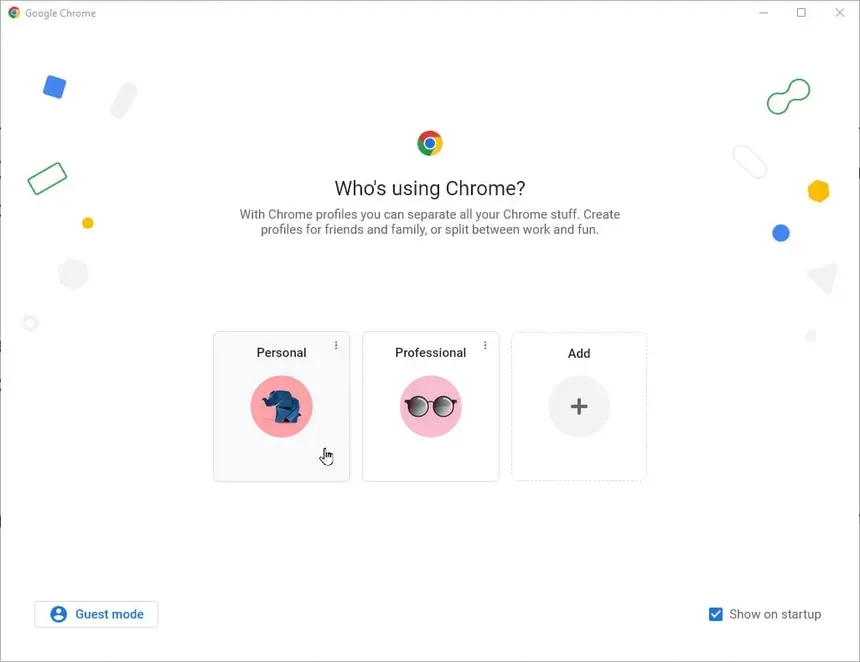
Create a separate Chrome profile without importing the original profile's local browsing data. The new-profile request stays on the same observed VPN endpoint on Device A and the same observed IP on Device B.
Same visitor identifierA fresh local profile did not prevent recognition in the recorded configurations.
Restart across VPN endpoints A, B, C, and D; compare normal and Incognito requests and the returned aliases.
Persistent alternate identifierBoth aliases persisted. ABC crossed from the home network to endpoint C and from normal to Incognito there; HIJ crossed endpoints A, B, and D.
Scope of this evidence. Fingerprint.com is one commercial recognition system and may combine browser/device attributes with server-side and historical context. These observations show what that demo returned for the recorded configurations; they do not prove that every tracker will recognize every Chrome installation, or that the returned identifier identifies a legal person.
04 · Account continuity
The convenience model can turn a temporary browsing tool into an enduring account context across devices, sessions, and services.
Signing in to a Google website is not identical to signing in to Chrome. Signing in to Chrome does not mean every sync category is enabled. Incognito does not automatically sign the user in to Chrome, although a user can still sign into Google services within an Incognito session.
05 · Big picture
The issue is not that every action in Chrome is automatically sent to every Google service. It is that browser state, an account, and direct use of multiple services can create pathways back to the same long-lived identity.
Diagram: a signed-in Chrome profile can connect saved or synced browser state to a Google Account. Direct use of Search, YouTube, Maps, Gmail, Photos, and Workspace can occur under that same account. Depending on product use and settings, that context can persist across sessions, services, time, and devices. Incognito and a VPN change particular boundaries but do not automatically break browser or account continuity.
01 · Browser
Local profile state, saved information, sign-in state, and browser continuity.
02 · Account
A durable identifier with product-specific settings and activity controls.
Shared account context
03 · Services
Direct interactions can occur under the same signed-in identity.
04 · Continuity
The practical distance between separate moments can shrink.
06 · Overview
Cookie, site-data, permission, and partitioning controls can limit particular stateful techniques.
Useful · not identity resistance
Rendering, device, language, timing, Client Hint, and platform signals remain combinable.
Broadly exposed
A temporary local session with isolated storage and history behavior.
Local separation
Sites and network administrators can still observe traffic and the originating network path.
No anonymity layer
07 · Direction over time
Storage
Controls can limit some cross-site state and access to sensitive capabilities.
2024-26
The full phaseout did not become the durable browser-wide default once proposed.
Chrome 152
Private Aggregation and related Privacy Sandbox APIs were removed after the broader strategy changed.
Always
Chrome does not conceal the connection or standardize users into a shared anonymity set.
08 · Use-cases
Choose Chrome for compatibility and security features. For sensitive work, consider whether you also need stronger tracking protection, account separation, or resistance to cross-session recognition.
Methodology, limitations, and sources